Services
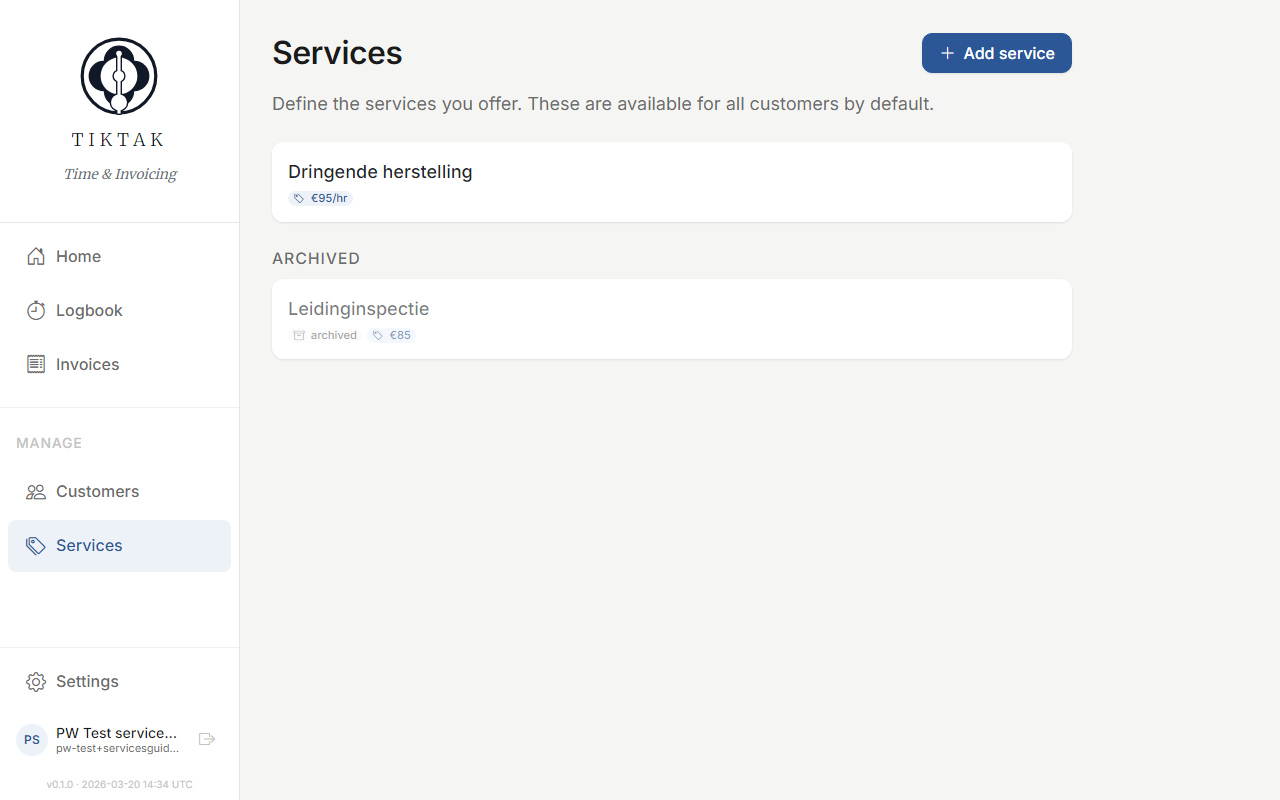
Services define what you charge for. Create hourly services (billed by time) or fixed-price services (flat fee per job).
Service list
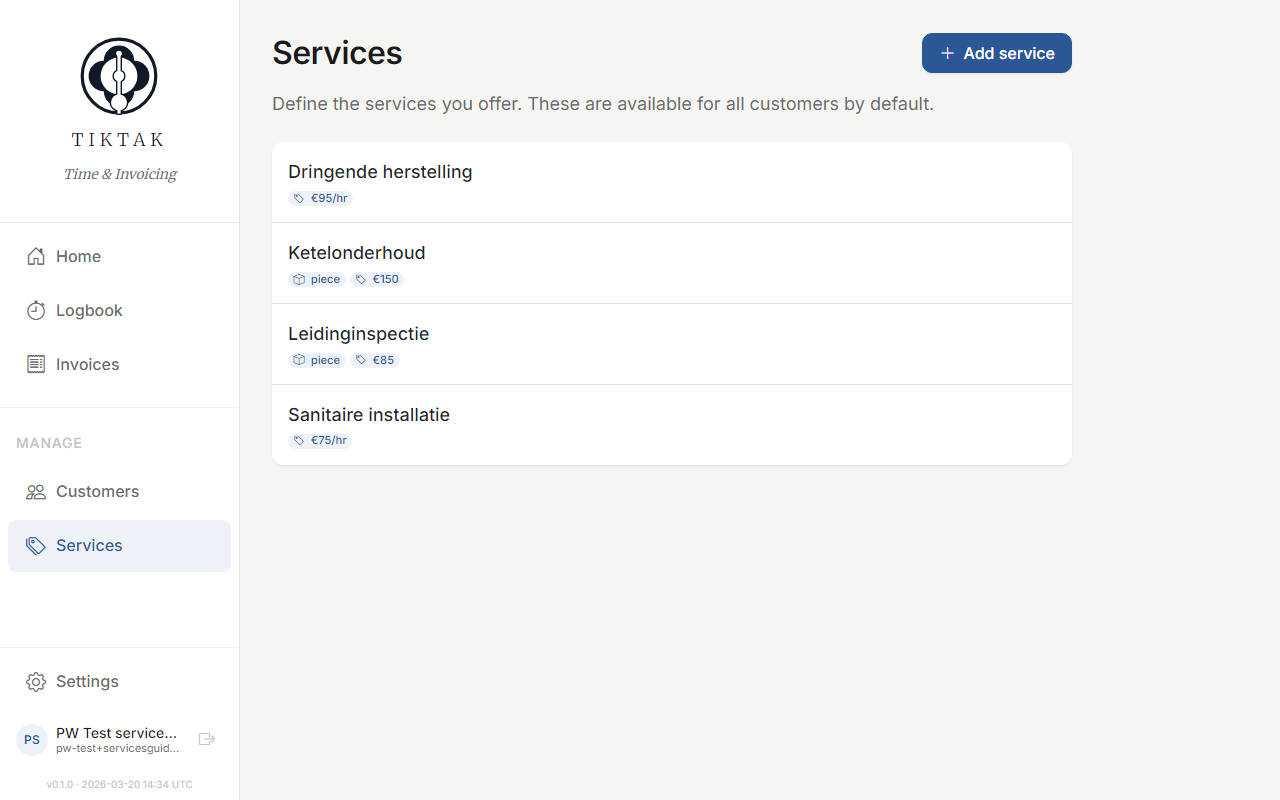
The Services page shows all your active services with their type and rate. Click any service to edit it.
Hourly services
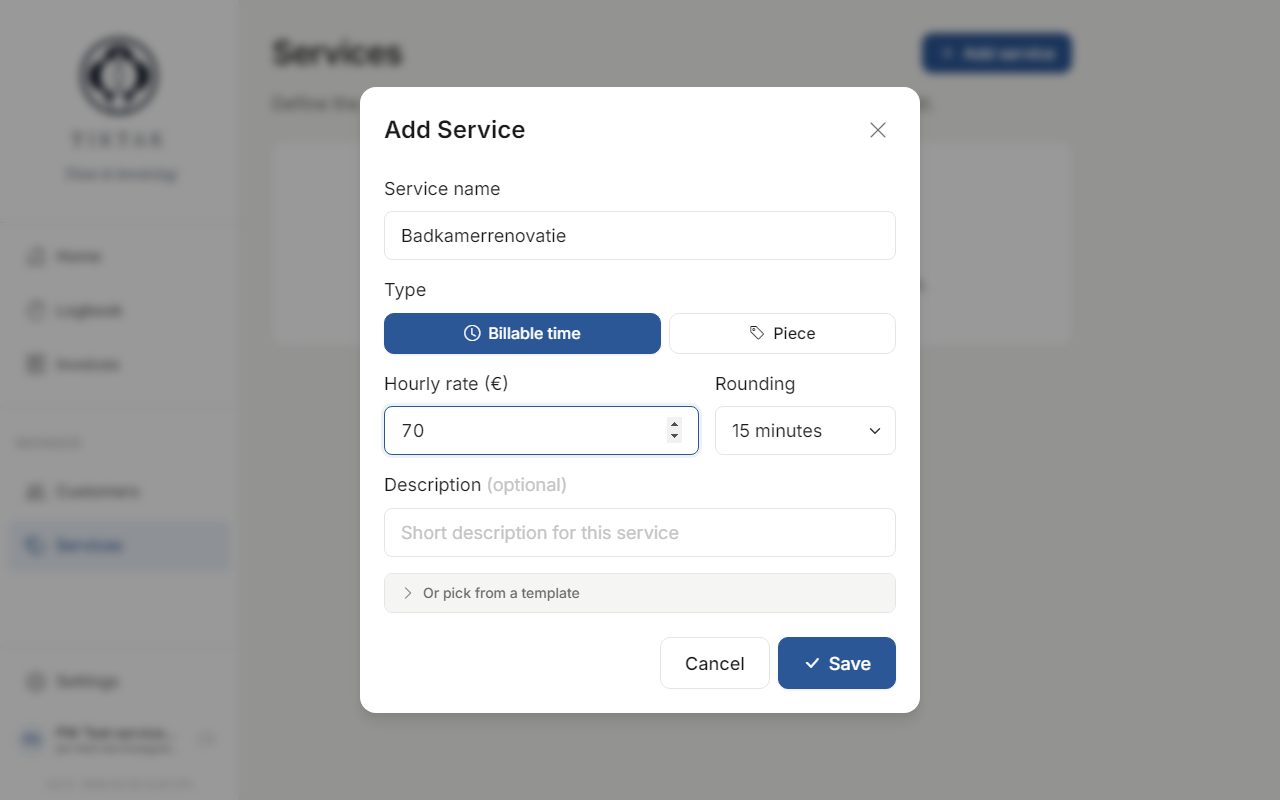
Hourly services are billed based on the time you log. Set an hourly rate, and TikTak calculates the total when you create an invoice.
Fixed-price services
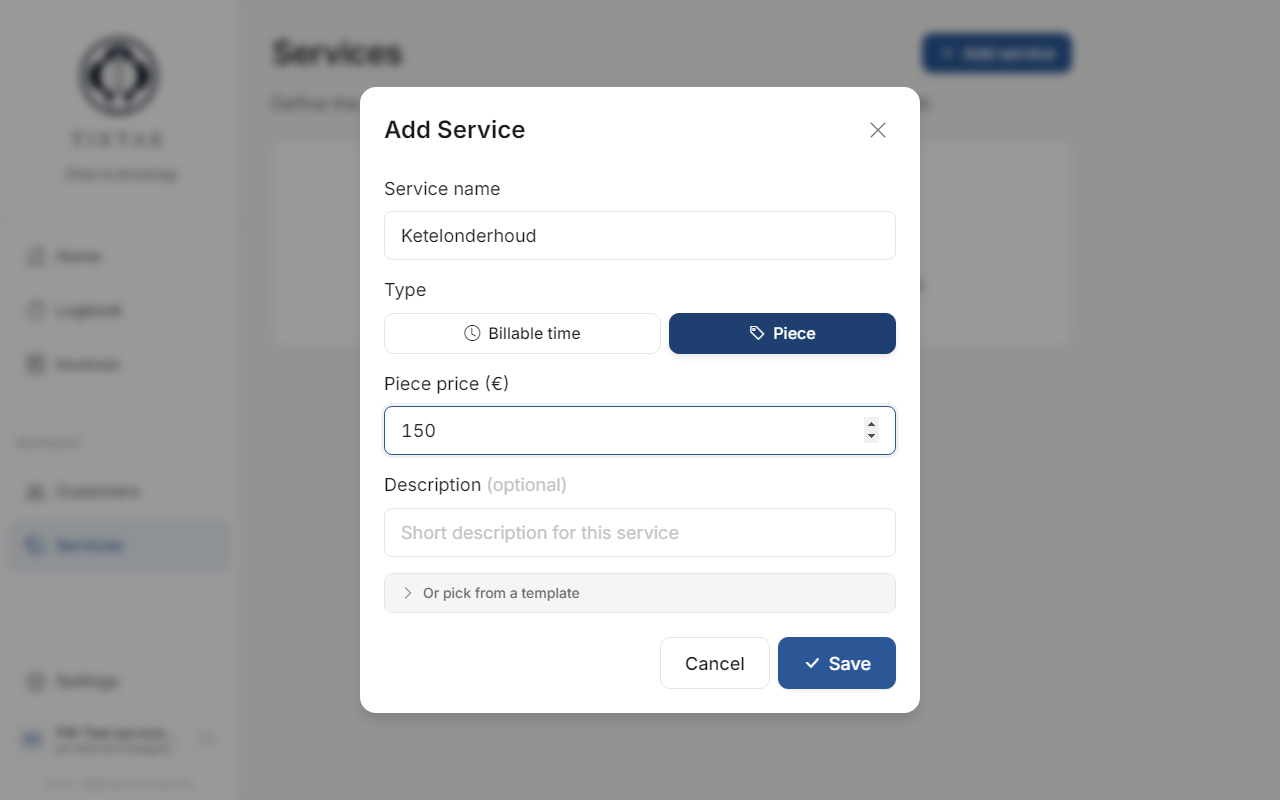
Fixed-price services have a set fee regardless of time spent. Great for maintenance contracts, assessments, or flat-rate jobs.
Tip: You can always change a service's rate later. Existing invoices keep their original rate — only new time entries use the updated rate.
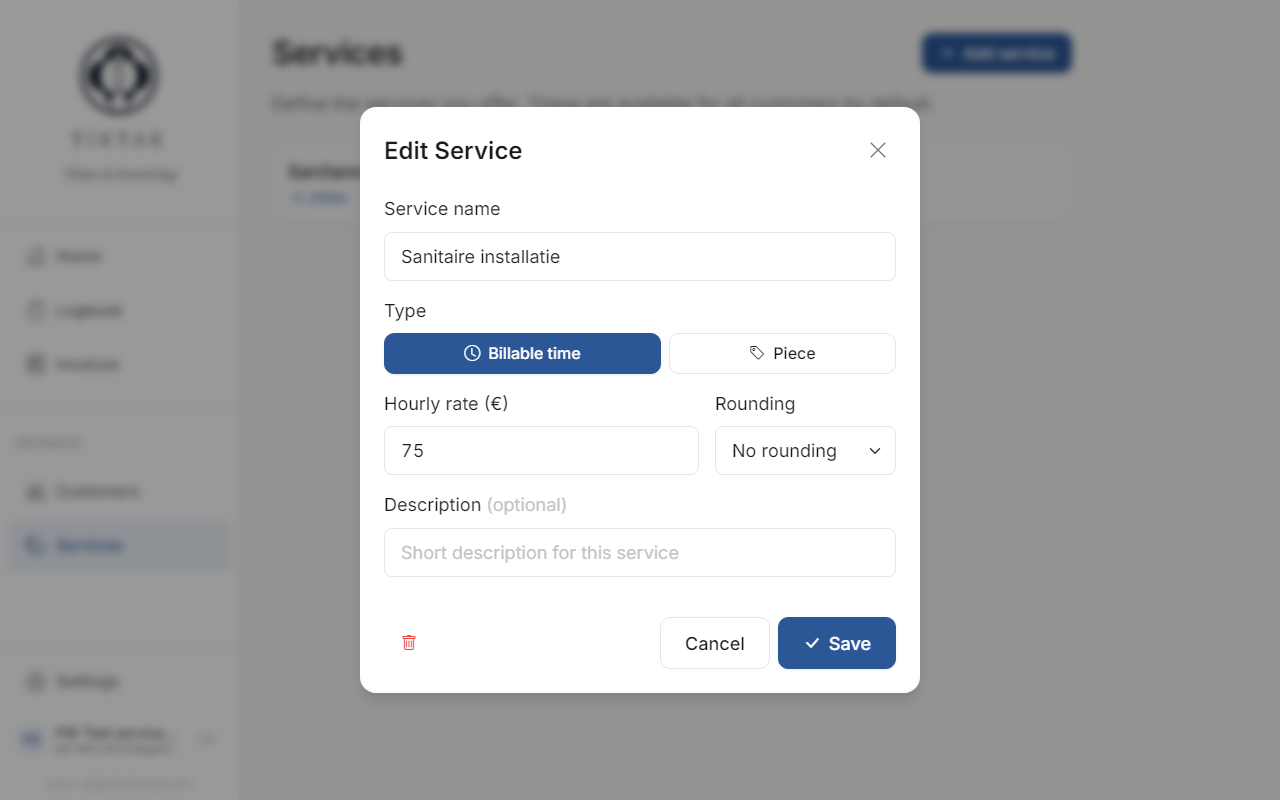
Editing a service
Click any service in the list to open its editor. Update the name, rate, or type and save.
Archiving
Services you no longer offer can be archived. They won't appear in dropdowns when logging time, but past entries and invoices that used them are preserved.